Essential
How to set up a points card
How many points a dollar earns, tiers that reward your best customers, and rewards priced so you know what they cost you.
Before you start
A points card rewards spend rather than visits: customers earn points on every eligible dollar and choose a reward when they have enough, or save for a bigger one. It suits shops where one customer spends $15 and the next spends $400.
Keeperoo switches your card to points
Stamps or points is set for the whole business by Keeperoo, not in your dashboard, and only before anyone has joined: once a business has customers it stays as it is. All your cards are one or the other. Talk to us before your first customer signs up.
The card's name, colours, images and signup form are set up as for any card: see how to set up your first stamp card. This guide covers what is different about points.
Set up the points
Step 1: Open the card
- In the dashboard, open Loyalty and click your card, then
Edit - A points card has an Earning points section (with a Points card badge) and a Rewards section. Everything below is in those two
Step 2: Set what a point is worth
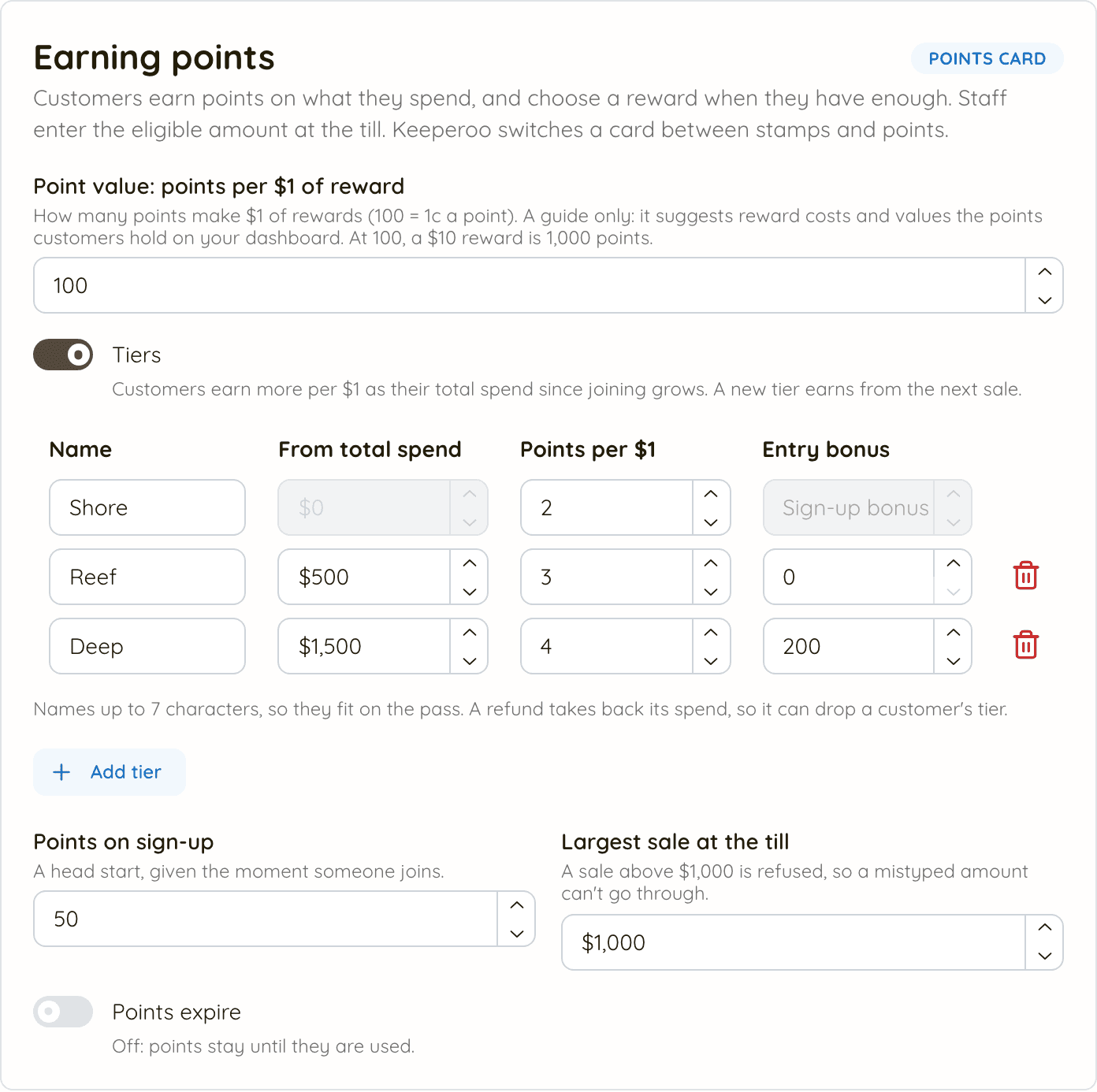
- Point value: points per $1 of reward is how many points make $1 of rewards. The default is 100, so a point is worth 1c and a $10 reward costs 1,000 points
- It's a guide for you, not a promise to customers: it suggests what each reward should cost, and values the points customers hold on your dashboard ("Worth $21 in rewards")
- Customers never see a dollar value for their points. They see their balance and what each reward costs
Step 3: Choose how points are earned
- Without tiers, set Points per $1: what every customer earns on each $1 of eligible spend. One decimal place is allowed (1.5), but whole numbers are easiest for customers
- With the Tiers switch on, customers earn more per $1 as their total spend since joining grows. Each tier has a name, the total spend it starts From, its Points per $1 and an optional Entry bonus
- The first tier starts from $0, so every new customer is on it. You can have up to 5 tiers, and names can be up to 7 characters so they fit on the wallet pass
- An entry bonus is paid once, with the sale that takes a customer into that tier. The first tier's "bonus" is the sign-up points, set below
Step 4: Give new customers a head start
- Points on sign-up are added the moment someone joins, so their card isn't empty on day one
- The signup page and the welcome email both mention them
Step 5: Set the largest sale
- Largest sale at the till is the most one sale can earn on. Anything above it is refused at the till and in the dashboard, so a slip of the finger (an extra zero) can't hand out thousands of points
- The default is $2,000. Set it a little above your biggest normal sale
Step 6: Decide whether points expire
- Points expire is off by default: points stay until they are used
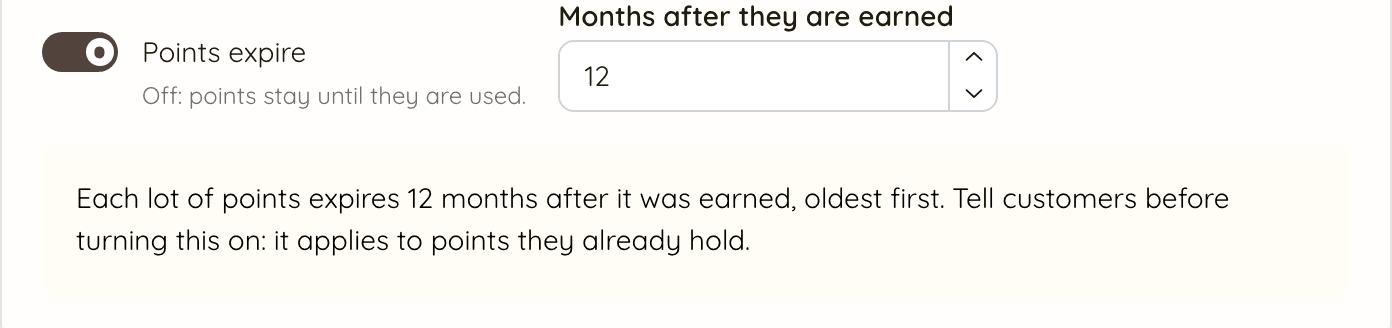
- Turned on, each lot of points expires the number of months you set after it was earned (12 to start with), oldest first
- It applies to points customers already hold, so tell them before you turn it on. The customer portal and the welcome email show the rule
Step 7: Add the rewards
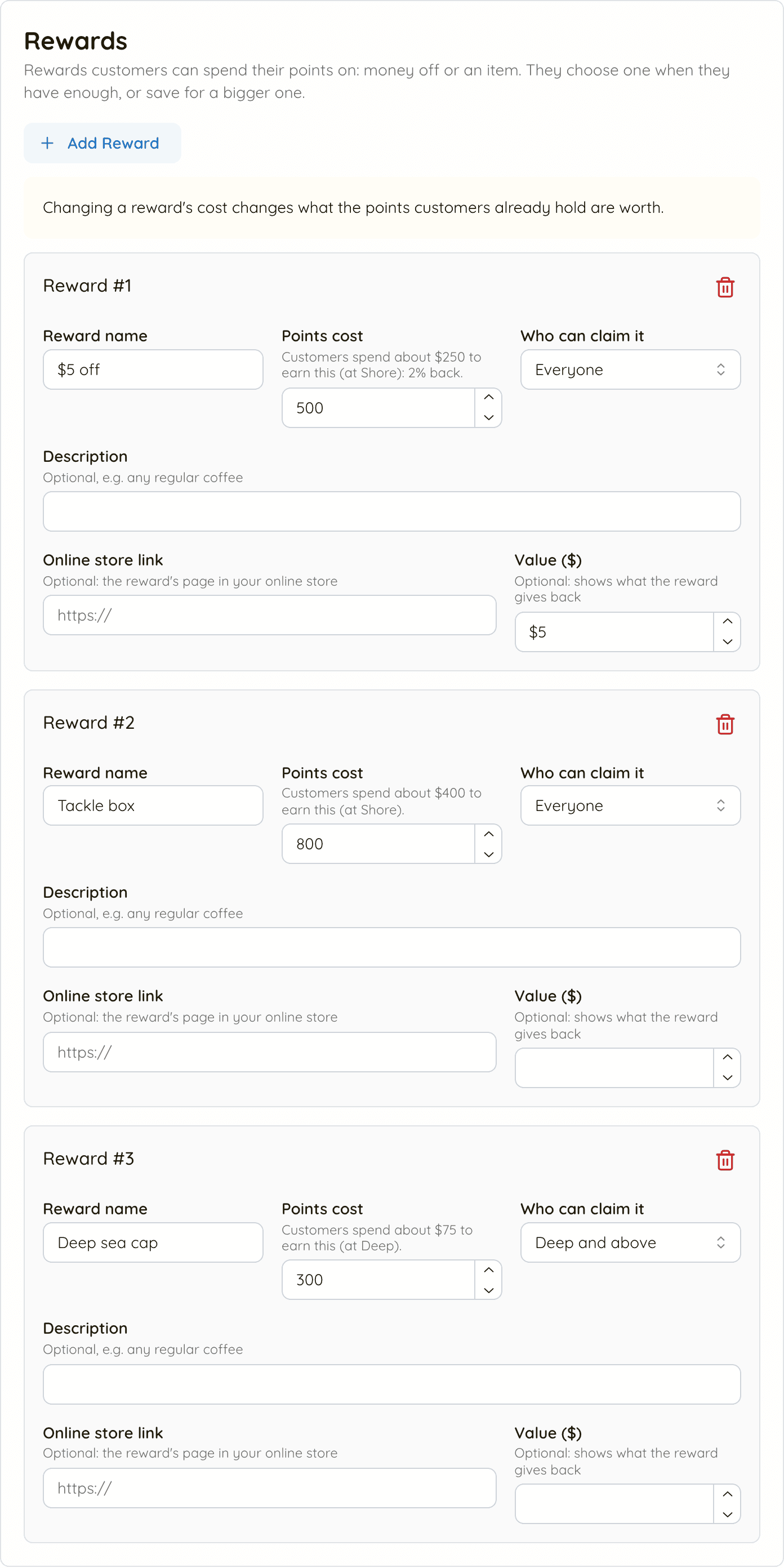
- In Rewards, click
Add Reward, give it a Reward name and a Points cost. Money off or an item both work - Under the cost, Keeperoo shows how much a customer spends to earn it, e.g. Customers spend about $250 to earn this (at Shore). Fill in Value ($) and it adds what the reward gives back, e.g. 2% back
- If the cost doesn't match your point value, Keeperoo suggests one: Your point value suggests 1,000 points, with
Useto fill it in - With tiers, Who can claim it makes a reward tier-only, e.g. Deep and above. Everyone sees it on their card; only those tiers can redeem it
- Optional: a Description, and an Online store link to the reward's page, which the customer portal links to
Step 8: Save, and republish if customers already have the card
- Click
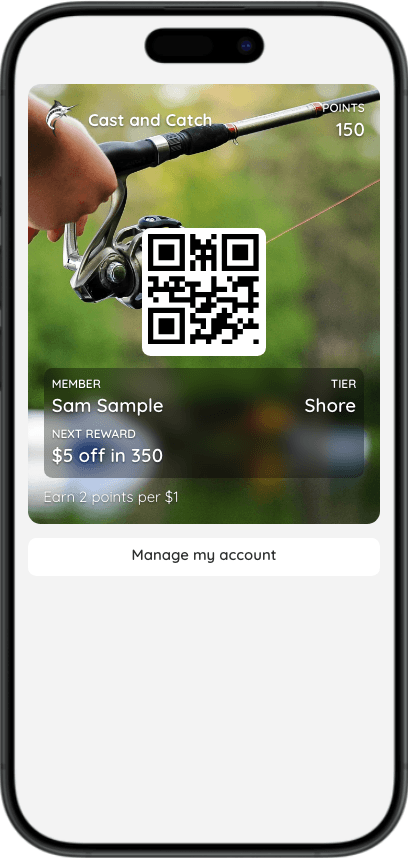
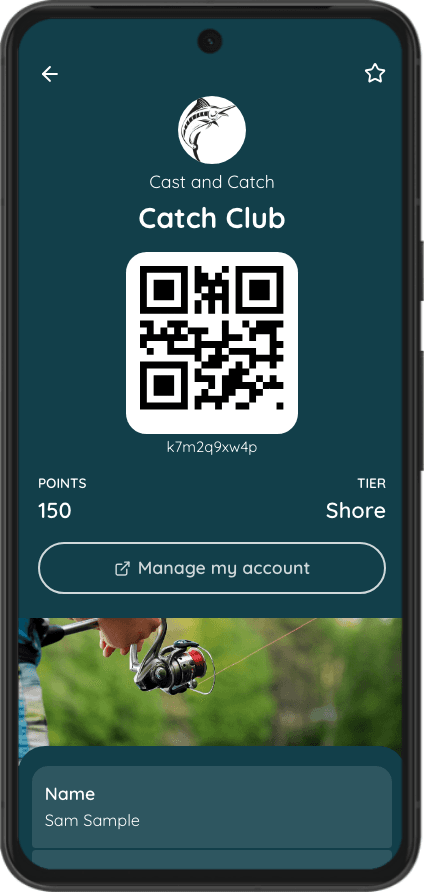
Save - The wallet pass shows the balance, the tier and the next reward. If customers already hold the card, click
Republish Cardafter changing rewards or tiers so their passes show the new details
How a sale earns points
- Staff enter only the eligible amount. Decide what counts (no gift cards? no bait?) and tell every staff member. If a $180 sale has $130 that counts, they enter $130.
- Points are whole and round down. $10.99 at 3 points per $1 is 32 points.
- A new tier starts from the next sale. The sale that takes a customer into a tier earns at the tier they were on, plus that tier's entry bonus if it has one.
- Spending points never lowers a tier. Tiers come from total spend, not the balance. A refund takes back its spend, so it can drop a customer back a tier.
- Rewards are redeemed one at a time, each with its own confirmation, and a customer can use several in one visit.
Pricing your rewards
- Make the first reward reachable. A customer on your lowest tier should be able to earn it in a few visits. Check the Customers spend about… line under its cost.
- Know what it costs you. Fill in Value ($) on money-off rewards and compare the % back with your margin.
- Give the top tier something of its own. A tier-only reward is a reason to keep spending, and everyone else can see what they're working towards.
Change prices with care
Changing a reward's cost changes what the points customers already hold are worth. Raising it after they have saved up feels like a broken promise; add a new, bigger reward instead.